Best Free Plugins for FL Studio in 2025
In the world of music production, FL Studio stands out as a powerful digital audio workstation (DAW) favored by beginners and professionals alike. Whether you’re crafting beats, composing melodies, or mixing tracks, enhancing your setup with the best free plugins for FL Studio can elevate your sound without breaking the bank. These free VST plugins, including synthesizers, effects processors, and drum kits, offer high-quality tools that rival paid options. As we dive into 2025, the landscape of free audio plugins continues to evolve, providing FL Studio users with endless creative possibilities.
What Are Plugins in FL Studio?
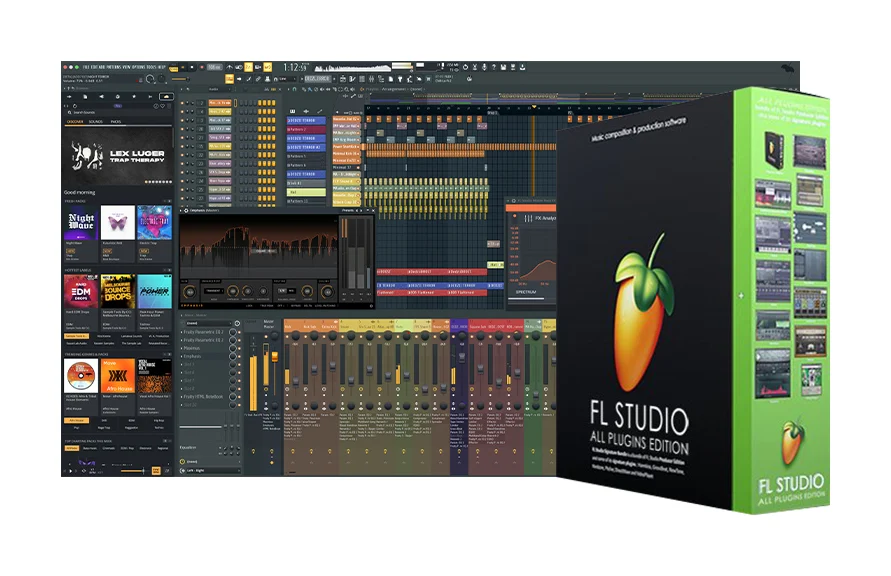
Plugins in FL Studio are software extensions that add new sounds, effects, or functionalities to your projects. They come in formats like VST (Virtual Studio Technology), which FL Studio supports natively, allowing you to load virtual instruments for generating sounds or audio effects for processing tracks. Free VST plugins for FL Studio include everything from wavetable synths to reverb effects, enabling producers to experiment with diverse sonic elements.
These tools integrate directly into FL Studio’s mixer and channel rack, making them essential for modern music creation. For instance, instrument plugins act as virtual synthesizers or samplers, while effect plugins modify audio signals through compression, EQ, or distortion. With FL Studio’s latest updates in 2025, compatibility with VST3 and AU formats has improved, ensuring smooth performance for free music production tools.
Benefits of Using Free Plugins in FL Studio
Opting for free plugins in FL Studio offers numerous advantages, especially for aspiring producers on a budget. First, they provide access to professional-grade features without the cost, allowing you to build a robust library of FL Studio free synths and effects. This democratizes music production, letting you focus on creativity rather than expenses.
Moreover, free audio plugins often come from innovative developers, fostering a community-driven ecosystem with regular updates and user presets. They help in learning sound design basics, as many include tutorials for wavetable synthesis or dynamic EQ. In terms of performance, these plugins are lightweight, reducing CPU load in FL Studio sessions compared to resource-heavy paid alternatives. Finally, experimenting with top free VST effects can inspire unique tracks, blending genres like EDM or hip-hop with ease.
Best Free Synth Plugins for FL Studio
Synths are the heart of electronic music production, and FL Studio shines when paired with free VST instruments. Here are some of the best free synth plugins that deliver versatile sounds for your beats.
- Vital by Matt Tytel: This wavetable synthesizer is a standout for its spectral warping capabilities, offering three oscillators and intuitive modulation. Ideal for creating basslines, leads, and pads in FL Studio, Vital includes hundreds of free presets and supports custom wavetables. Its visual interface makes it beginner-friendly while powerful enough for pros.
- Surge XT by Surge Synth Team: An open-source hybrid synth excelling in subtractive synthesis, Surge XT features complex oscillators and over 2,000 presets. Perfect for FL Studio users crafting electronic tracks, it includes FM, ring modulation, and effects like reverb. Its modular routing allows deep sound design experimentation.
- Dexed by Digital Suburban: Modeled after the Yamaha DX7, this FM synth is excellent for retro sounds like electric pianos and bells. In FL Studio, it loads quickly and supports cartridge imports, making it a go-to for 80s-inspired productions. Its six operators enable precise frequency modulation.
- Tyrell N6 by u-he: Inspired by the Roland Juno, this analog-style synth delivers warm pads and arpeggios. FL Studio integration is seamless, with chorus effects and modulation matrix for evolving textures. It’s lightweight and comes with presets for immediate use in music production freeware setups.
- Helm by Matt Tytel: A polyphonic synth with subtractive synthesis, Helm offers oscillators, filters, and LFOs for classic sounds. Great for FL Studio beginners, it includes a step sequencer and arpeggiator, enhancing workflow in beat-making sessions.
These free synth plugins enhance FL Studio’s built-in tools, providing endless inspiration for genres from trap to techno.
Best Free Effect Plugins for FL Studio
Effect plugins transform raw sounds into polished tracks. These free VST effects for FL Studio cover reverb, compression, and more, essential for mixing.
- Valhalla Supermassive by Valhalla DSP: This reverb and delay plugin creates massive spaces with unique algorithms like Gemini and Nebula. In FL Studio, it’s ideal for ambient effects on vocals or synths, with low CPU usage and free updates.
- TDR Nova by Tokyo Dawn Labs: A dynamic EQ that adjusts based on thresholds, perfect for taming resonances in FL Studio mixes. It functions as a multiband compressor too, making it versatile for mastering.
- Fresh Air by Slate Digital: An exciter plugin that boosts high frequencies for clarity on vocals and instruments. Easy to use in FL Studio, it adds sparkle without harshness, enhancing overall mix presence.
- Graillon 3 by Auburn Sounds: A free autotune effect for pitch correction, great for modern vocals in FL Studio. It offers scale snapping and formant shifting for natural or robotic tones.
- Kilohearts Essentials: A bundle of 30+ effects like delay, compressor, and limiter. Snap-in modular design fits FL Studio’s workflow, ideal for quick enhancements in music production.
Incorporating these FL Studio effects plugins can drastically improve your audio processing capabilities.
Best Free Drum and Sample Plugins for FL Studio
Drums drive rhythm in productions, and free drum plugins provide realistic kits and samplers.
- Decent Sampler by Decent Samples: A versatile sampler supporting various libraries like pianos and drums. In FL Studio, it’s user-friendly for loading custom samples, expanding your percussion arsenal.
- Steven Slate Drums Free: Offers high-quality acoustic drum kits with processing options. Perfect for FL Studio rock or pop beats, it includes grooves for instant inspiration.
- MT Power Drum Kit 2: A straightforward drum plugin with realistic sounds and MIDI grooves. Lightweight for FL Studio, it’s great for beginners building hip-hop or electronic rhythms.
These free drum plugins complement FL Studio’s step sequencer for dynamic beats.
How to Install Free Plugins in FL Studio
Installing free VST plugins in FL Studio is a simple process that enhances your music production workflow. Follow these steps to seamlessly integrate them:
- Download the Plugin: Visit the developer’s official website to download the desired plugin, ensuring it’s in VST2 or VST3 format for compatibility with FL Studio.
- Extract and Place Files: Extract the downloaded files and move the .dll file (for Windows) or .vst file (for Mac) to your designated VST plugin folder, typically C:\Program Files\VSTPlugins.
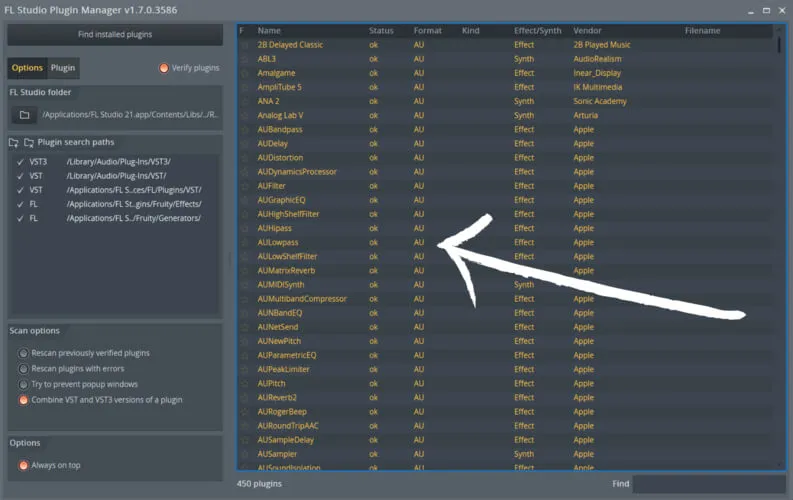
- Scan in FL Studio: Open FL Studio, navigate to Options > Manage Plugins, and initiate a scan to detect the new plugin. It will appear in the plugin picker once detected.
- Troubleshooting: Ensure the plugin is 64-bit compatible for modern FL Studio versions. If it doesn’t appear, restart FL Studio or re-scan the plugin folder.
This process applies to all free music production tools mentioned, enabling quick setup for your FL Studio projects.
Tips for Getting the Most Out of Free Plugins
To maximize free plugins in FL Studio, start with presets but tweak parameters for originality. Use automation for evolving sounds, and layer multiple plugins for depth. Monitor CPU usage with FL Studio’s performance meter, and join communities like Reddit for tips on best free VST effects. Regularly update plugins for bug fixes and new features, ensuring compatibility with FL Studio 2025.
Conclusion
The best free plugins for FL Studio in 2025 empower producers to create professional tracks affordably. From Vital’s wavetable magic to Valhalla Supermassive’s ethereal reverbs, these tools—encompassing free VST instruments and FL Studio effects plugins—unlock creative potential. By incorporating music production freeware like these, you can refine your skills and produce standout music. Explore these options, experiment boldly, and watch your FL Studio projects soar. With ongoing developer support, the future of free audio plugins looks brighter than ever.