Designing Cinematic Soundscapes in FL Studio
Soundscapes are more than just background music; they are the heart of immersion in films, games, and multimedia experiences. A well-crafted cinematic soundscape can transport listeners into an entirely different world, building tension, evoking emotions, and supporting storytelling. Whether you’re working on an epic movie trailer, an atmospheric video game level, or even a YouTube short film, learning how to design cinematic soundscapes in FL Studio is a must-have skill.
FL Studio, with its vast array of built-in plugins, synthesizers, samplers, and automation tools, offers everything needed to transform simple sounds into breathtaking sonic environments. In this guide, we’ll dive deep into practical techniques, creative tips, and professional workflows for designing cinematic soundscapes from scratch.
What Is a Cinematic Soundscape?
A cinematic soundscape is a layered collection of sounds—musical, atmospheric, and ambient—that sets the mood and supports the visual narrative. Unlike traditional music, soundscapes often prioritize atmosphere over melody, blending textures like:
- Ambient drones for mood and tension
- Nature or industrial sounds for realism
- Impact effects for drama
- Rhythmic pulses for momentum
- Spatial reverbs and delays for immersion
These sound elements create a sense of space and movement, making the audience feel like they are inside the scene.
Why Use FL Studio for Soundscape Design?
While there are many DAWs available, FL Studio is particularly effective for cinematic sound design because:
- Intuitive Workflow – Its step sequencer and playlist system make arranging layers of sound intuitive.
- Extensive Plugin Suite – Tools like Sytrus, Harmor, FLEX, and Fruity Convolver are powerful for crafting evolving textures.
- Automation Control – Automation clips allow precise modulation of filters, reverbs, and dynamics.
- Sample Handling – DirectWave, Edison, and Sampler let you manipulate field recordings or cinematic FX easily.
- Third-Party Compatibility – It supports VST plugins, meaning you can integrate cinematic sound libraries seamlessly.
Core Elements of Cinematic Soundscapes
Atmospheric Drones
Drones are sustained tones or textures that serve as the foundation of many cinematic tracks. In FL Studio, you can use Sytrus or Harmor to create evolving pads. Automate filters, detune oscillators slightly, and apply long reverbs to give them an endless feel.
Impacts and Hits
These are the big “booms” you often hear in movie trailers. Layering kick drums, sub-bass, and re-sampled metallic hits with EQ and distortion can give you earth-shaking results. Plugins like Fruity Reeverb 2 add cinematic depth.
Risers and Transitions
Build tension with rising sounds that lead into a climax. In FL Studio, use pitch automation on white noise, synth layers, or orchestral samples. The Gross Beat plugin is excellent for time-based manipulations.
Nature & Environmental Sounds
Field recordings such as wind, rain, rustling leaves, or industrial ambiences add realism. Import them into the Sampler, cut and loop sections in Edison, then layer with effects like Fruity Delay 3 for depth.
Pulses and Rhythmic Textures
Cinematic soundscapes often feature slow, evolving rhythms. Create them with arpeggiators in FLEX or rhythmic gating with Gross Beat. These subtle movements maintain listener engagement.
Reverbs and Space
Cinematic sound is all about space. Use Fruity Convolver with impulse responses (IRs) from concert halls, caves, or sci-fi environments to simulate realistic depth.
Melodic Accents
Even atmospheric music benefits from minimal melodies. A distant piano note, a haunting violin phrase, or a processed vocal sample can give emotional weight.
Step-by-Step Guide to Designing Cinematic Soundscapes in FL Studio
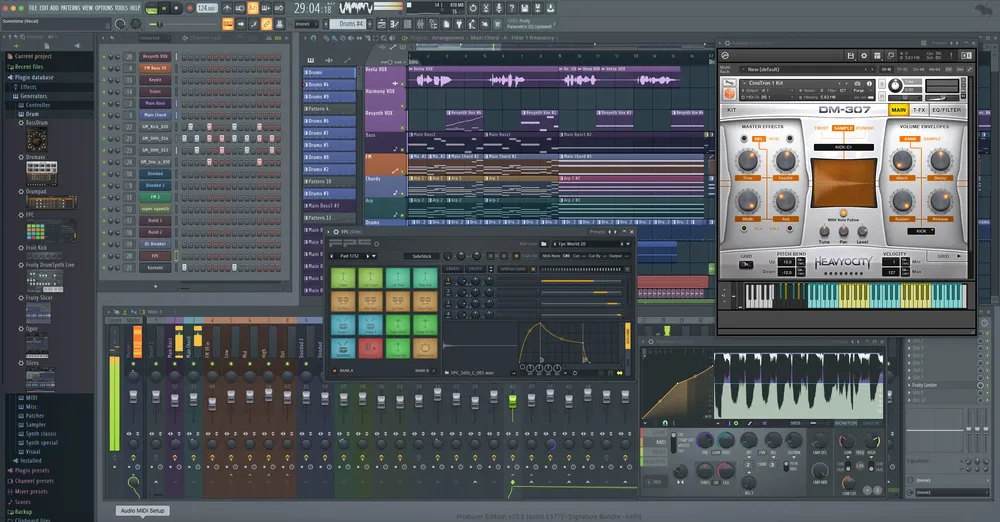
Step 1: Set the Right Project Template
Start with a large project template in FL Studio. Increase the sample rate (48kHz or higher) for better audio fidelity. Set tempo according to your project (cinematic pieces often range from 60–100 BPM).
Step 2: Lay the Foundation with Drones
- Load Sytrus or Harmor and create a pad preset.
- Automate filter cutoff for movement.
- Add Fruity Reeverb 2 with long decay.
- Layer with a sub-bass drone for low-end depth.
Step 3: Add Environmental Layers
- Import wind, rain, or industrial noises into the Sampler.
- Pan them subtly left and right.
- Use Parametric EQ 2 to carve space for other elements.
Step 4: Create Dynamic Impacts
- Layer a low kick with metallic hits.
- Add distortion using Fruity Fast Dist.
- Place them sparingly at scene transitions.
Step 5: Introduce Movement with Pulses
- Use FLEX with rhythmic presets.
- Apply sidechain compression to sync pulses with impacts.
- Automate cutoff for evolving textures.
Step 6: Build Risers and Transitions
- Load white noise in Sytrus or 3xOsc.
- Automate pitch from low to high over 8–16 bars.
- Add reverb and delay for cinematic flair.
Step 7: Enhance with Effects
- Apply Gross Beat for glitchy time manipulations.
- Use Soundgoodizer to add punch to impacts.
- Automate reverb size for dramatic scene shifts.
Step 8: Final Mix and Master
- Balance each layer with faders.
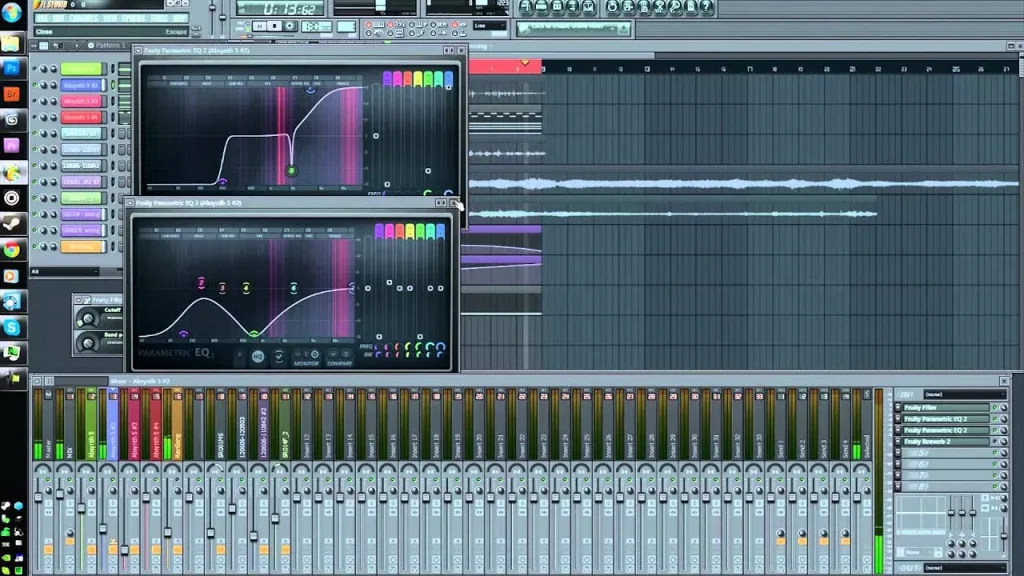
- Use Parametric EQ 2 to cut unnecessary frequencies.
- Add subtle compression on the master bus.
- Render in WAV for high-quality cinematic output.
Creative Tips for Cinematic Soundscapes
- Use Automation Heavily – Small parameter changes over time make textures more organic.
- Layer Sounds – One drone may sound flat, but layering multiple with different EQ ranges creates richness.
- Record Your Own Samples – Everyday sounds like slamming doors or city ambience can be turned into cinematic elements.
- Experiment with Reverse Audio – Reversing impacts, piano notes, or vocals adds mystery.
- Think in Scenes – Instead of composing a “song,” build your soundscape as if narrating a story.
- Silence Is Powerful – Strategic gaps in sound amplify tension and drama.
- Reference Professional Scores – Study Hans Zimmer, Ramin Djawadi, or Jóhann Jóhannsson to understand cinematic layering.
Common Mistakes to Avoid
- Overloading with Layers – Too many sounds create mud. Keep elements purposeful.
- Ignoring Frequency Balance – Ensure drones don’t clash with sub-bass; use EQ wisely.
- Overusing Reverb – Too much space can wash out clarity; balance wet/dry levels.
- Static Sounds – Sounds without modulation or automation can feel lifeless.
- Not Mixing in Context – Always listen with visuals if possible; soundscapes serve storytelling, not just sound design.
Best Plugins for Cinematic Soundscapes in FL Studio
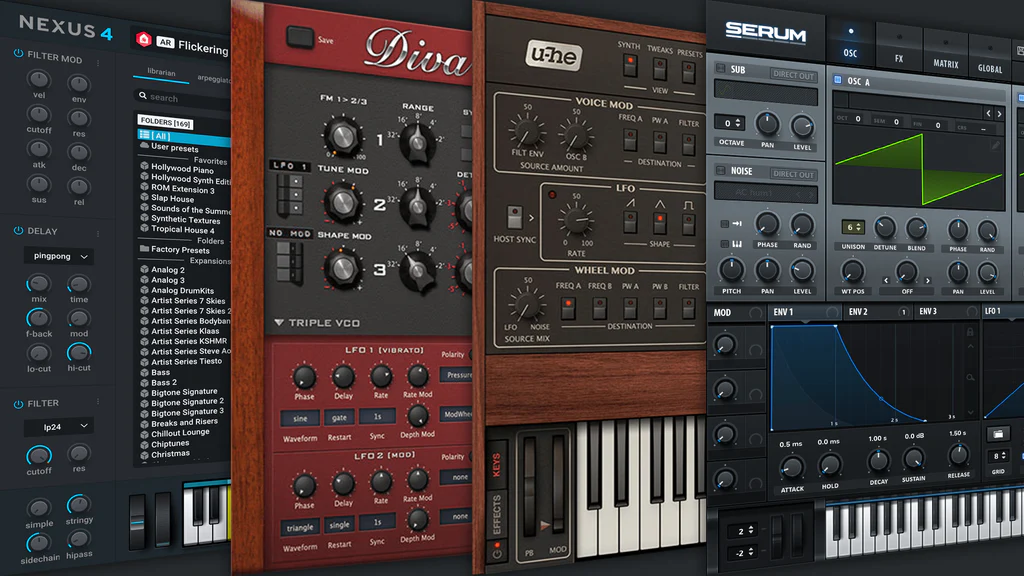
- Sytrus – Complex FM synthesis for evolving pads.
- Harmor – Additive synthesis great for textural layering.
- FLEX – Easy-to-use cinematic presets.
- Fruity Convolver – Convolution reverb with realistic IRs.
- Gross Beat – Time-based effects for stutters and reverses.
- Edison – Sample editor for field recordings.
- Parametric EQ 2 – Precise frequency sculpting.
Advanced Techniques
1. Granular Synthesis
Use Fruity Granulizer to manipulate vocal or instrumental samples into eerie atmospheres. Stretching, pitch-shifting, and grain manipulation can yield otherworldly results.
2. Sound Morphing
Combine multiple sounds into one evolving texture by automating crossfades. For example, morph a low drone into a metallic riser.
3. Spatial Panning
Automation of stereo placement adds motion. Sounds moving from left to right simulate real-world environments.
4. Layering Orchestral with Synths
Blend orchestral samples with synthetic drones to achieve a hybrid cinematic style. This is common in modern trailers.
Conclusion
Designing cinematic soundscapes in FL Studio is both a technical process and a creative journey. By layering drones, impacts, risers, environmental sounds, and pulses, you can transform any project into a fully immersive audio experience. With tools like Sytrus, FLEX, Fruity Convolver, and Gross Beat, FL Studio provides everything you need to shape atmospheres that rival professional film scores.